

When most people search for the best smart watches, they compare steps, sleep, and screens. If you run a security system at home or at work, you should be asking a different question:
“Will this watch work smoothly with my security app, so I can see alerts and manage my system from my wrist?” That single decision, integration with your security app, matters more than almost any spec.
In 2026, the watches that do this best sit in three big families:
- Apple Watch (Series 11, SE 3, Ultra 3)
- Google Pixel Watch and other Wear OS watches
- Samsung Galaxy Watch (Watch 8 line and Galaxy Watch Ultra)
These are the models most often recommended as top smartwatches today, and they’re built to work tightly with Apple Home, Google Home, or SmartThings.
If you care about security first and fitness second:
- Pick a watch that matches your phone (iPhone vs Android).
- Make sure it matches the platform your security system connects to (Apple Home, Google Home, SmartThings, or a brand-specific app).
- In 2026, the most flexible families for security apps are:
- Apple Watch is best with Apple Home-compatible security systems
- Wear OS watches (e.g., Pixel Watch) – best with Google Home / Nest–integrated systems
- Samsung Galaxy Watch – best with SmartThings-centric setups
This guide explains which are the best smart watches for that job, and what to check before you buy.
Why your next watch should work with your security app
A smartwatch isn’t just a tiny phone screen. When it’s wired into your security app, it becomes a fast-response tool:
- Instant alerts on your wrist, Smartwatches can receive alerts from smart locks, motion sensors, security alarms, and other devices, so you don’t miss critical events.
- One-tap actions, Arm “Away,” disarm when you pull into the driveway, or lock that forgotten side door with a tap. Some Wear OS security apps even let you change modes or raise a panic alarm directly from the watch.
- Camera awareness: With integrated platforms, you can see who’s at the door on your watch before you open it, or quickly check a camera feed if an alarm trips.
For commercial sites, this is even more valuable. Industrial and workplace solutions show that sending alarms straight to workers’ smartwatches can significantly reduce incident response time, because they don’t have to be in front of a PC or staring at a phone. The same applies to a shop manager or facility supervisor: wrist alerts are harder to ignore.
Quick comparison: Best smart watches for security-app integration
| Watch Type | How it help security apps | Best for | Typical use cases |
| Apple Watch | Home app on watch controls locks/lights; shows HomeKit camera video; supports rich notifications from security apps. | Homeowners heavily invested in the Apple ecosystem | Check door status, view doorbell camera, run “Away” scene while leaving |
| Wear OS (e.g., Pixel Watch) | Google Home for Wear OS controls devices; Nest camera & doorbell alerts; live camera view on compatible Pixel Watch; some security vendors have dedicated Wear OS apps. | Homes and small businesses using Google Home + Nest | See who’s at the door, respond to motion alerts, and change alarm mode from wrist |
| Samsung Galaxy Watch | SmartThings app on watch controls and monitors devices, routines, and tiles for “Lock up” / “Open up” flows. | SmartThings-centric homes/offices | One-tap closing routine, check key locks and sensors, manage lights for security |
| Brand-specific security watch apps | Direct control of alarm mode, panic button, push notifications from the alarm panel. | Users of platforms that offer their own watch app | Quickly arm/disarm, raise panic alarm, see zone alerts without opening phone app |
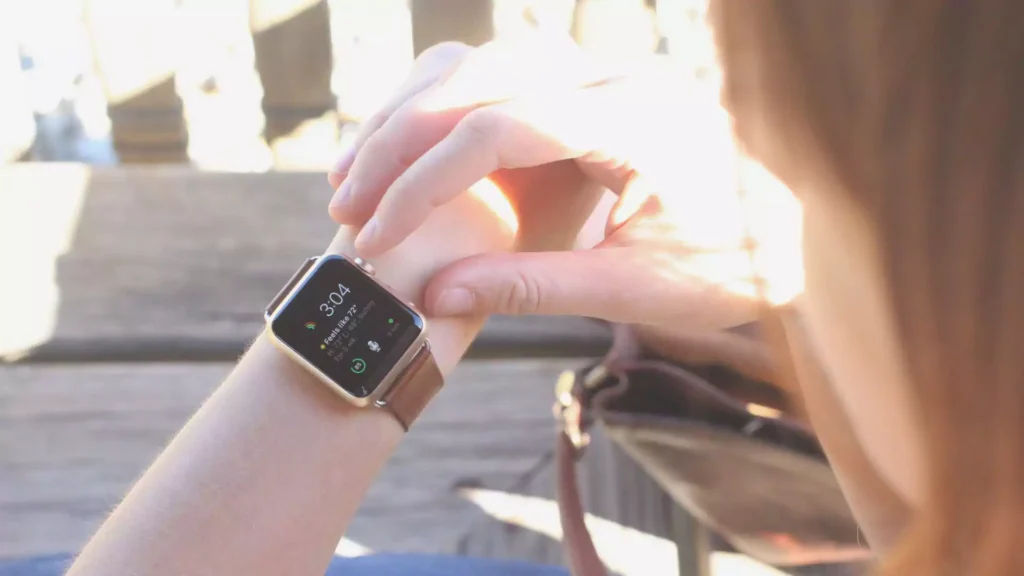
Apple Watch: best if your security lives in Apple Home
Apple currently offers three main smartwatch lines: Apple Watch Series 11, Apple Watch SE 3, and Apple Watch Ultra 3.
If your security setup plugs into Apple Home, these are the easiest watches to live with.
Simple use cases
- Home: You leave the house, tap an “Away” scene on your watch; the system arms, doors lock, and lights go into away mode.
- Small office: At closing time, you run a “Lock up” scene from your wrist as you walk out, instead of going back to the keypad.
When to choose which model
- Series 11 – best all-around choice if you want a full-featured watch and plan to keep it for several years.
- SE 3 – good if you mainly want notifications and basic Home controls at a lower price.
- Ultra 3 – worth it if you work a lot or want maximum battery and durability.
Pixel Watch (Wear OS): best if you use Google Home and Nest
If your world is Android + Google Home + Nest, then Wear OS, especially Google Pixel Watch 4 or Pixel Watch 3, is usually the best fit.
Recent reviews and buying guides name the Pixel Watch 4 as the best smartwatch for Android users, with deep links into Google services.
Simple use cases
- Home: Your doorbell rings; the watch buzzes and shows a preview from your Nest Doorbell. You can decide if you need to answer or not.
- Business: You’re walking the shop floor when a sensor triggers at the back door; your watch shows which zone it is, and you can quickly pull up the nearest camera.
Galaxy Watch: best if you live in SmartThings
If your locks, lights, sensors, and cameras sit in SmartThings, a Samsung Galaxy Watch is the most natural choice.
In many markets, the current highlights are Galaxy Watch 8, Galaxy Watch 8 Classic, and Galaxy Watch Ultra. These sit at the top of Samsung’s smartwatch range and are sold as the main options for users who want a “full” Galaxy Watch experience.
Simple use cases
- Home: Your “Good night” routine on the watch turns off downstairs lights, locks doors, and sets the system to stay mode.
- Commercial: Staff can use “Open up” and “Close up” routines from the watch during opening and closing checks, without going back to a wall panel each time.
What about security brands with their own watch app?
Some security providers now offer Apple Watch or Wear OS apps of their own. These can:
- Change modes (Arm Stay, Arm Away, Disarm)
- Show recent events and alerts
- Sometimes offer a panic button on the watch
If your provider supports this, it’s simple:
- On iPhone → pick any of the current Apple Watch models they support
- On Android → pick a current Pixel Watch or Galaxy Watch they list as compatible
But even when there’s no brand-specific watch app, you still usually get:
- Alerts via push notifications
- Basic control via Apple Home, Google Home, or SmartThings
Quick checklist before you buy
Use this as a simple pre-purchase filter:
- Phone first
- iPhone → Apple Watch
- Android → Pixel Watch / other Wear OS / Galaxy Watch
- Security platform
- Are your devices in Apple Home, Google Home, or SmartThings?
- Does your provider mention Apple Watch or Wear OS support?
- Must-have actions
- See alerts on your wrist
- Run main modes/routines (Away, Night, Lock up)
- Optionally see camera snapshots/feeds
- Safety settings
- Turn on a watch passcode
- Use auto-lock / wrist detection
- Keep very sensitive actions (like full disarm) behind a couple of taps or on the phone only
If you follow that flow, you’ll end up with one of the best smart watches for your day-to-day life and a watch that actually helps manage your home and commercial security, instead of just counting steps.
Closing thoughts
There are plenty of “best smart watches” lists that rank displays, heart-rate sensors, and battery life. Those matters, but if you run a home alarm or protect a commercial space, the most important spec is easy to miss:
Can this watch work smoothly with my security app and ecosystem?
Start there, and your new smartwatch won’t just count steps; it’ll become a serious, convenient part of how you manage security for your home or business, right from your wrist.
FAQs’
Do I really need a smartwatch that works with my security app?
If you care about security, yes. A compatible smartwatch lets you see alerts, run “Away/Night” modes, and check key devices from your wrist, without having to grab your phone every time. Apple, Google, and Samsung all position their watch platforms as controllers for smart-home and security accessories.
Which smartwatch is best if I use an iPhone for my security system?
If your security devices tie into Apple Home, the natural choice is Apple Watch. Apple’s Home app on Apple Watch can control HomeKit locks, lights, and thermostats, and view HomeKit Secure Video camera streams right on your wrist.
Can a smartwatch actually lock and unlock doors?
Yes, if your smart lock is integrated with your platform and/or has its own watch app. For example, Apple’s Home app on Apple Watch can control HomeKit locks, and brands like August have dedicated Apple Watch apps for locking and unlocking with a swipe and a tap.
What’s the biggest mistake people make when buying a watch?
Buying based on fitness features or brand hype and only later realizing it doesn’t talk to their security platform. The first step should always be: “Does this watch support Apple Home, Google Home, SmartThings, or my security provider’s watch app?” If not, it’s just a notification screen, not a real security tool.